

Survey kiosk
Put the survey where the guest actually is
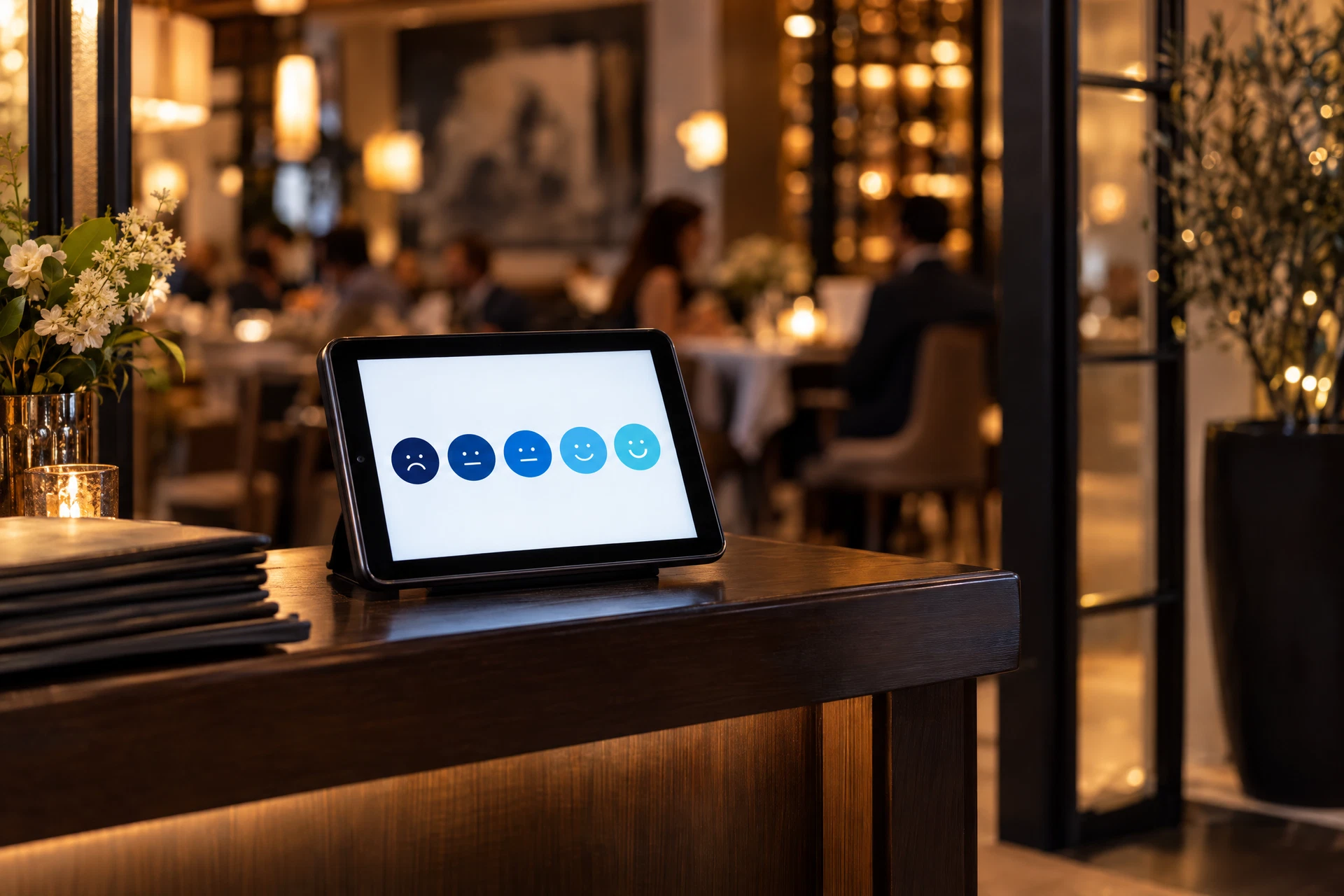
Most surveys are lost in the gap between the visit and the survey
The guest is already standing there
A survey on a tablet catches the visit while the table is still in front of them. No text message an hour later, no email three days on, no QR code that nobody scans.
No app, no account, no download
The survey opens in the browser on your own device. The guest taps a rating, adds a comment if they want to, and walks away. Nothing is installed and nothing is signed up for.
Nobody has to run it
Your team does not hand out clipboards, chase responses or hand over a device. The kiosk shows your attract screen between guests and clears itself for the next one.
Any tablet you already own
An iPad at the host stand, an Android tablet on the counter, a Chromebook at the collection point or a Fire tablet on a wall mount. If it has a browser and Wi-Fi, it can be a kiosk.
Four taps and a thank-you, in under a minute
Tap to start
The attract screen carries your brand and one line of invitation. One tap opens the survey; there is nothing to accept or install.
Answer three to five questions
One-tap scales with the wording you wrote, timed where timing matters. A comment box stays optional, so a rating never depends on typing.
Attach evidence if your rules ask
Where a photo or a receipt is part of your standard, the kiosk can require it before the survey closes — the same evidence rules as every other survey.
Read the thank-you
The closing screen thanks the guest and can show a reward code, a bounce-back offer or a short note from the operator. Then the kiosk resets.
Five steps from a spare tablet to a live kiosk
- Choose the placement. Host stand, order point, collection counter, exit or the theatre lobby. The placement is the strategy: which guest, at which moment, leaves the most honest answer.
- Open the kiosk link on the device. Log in once on the device and open the kiosk screen for that location. The device remembers the location, the questionnaire and the daypart it is running.
- Lock the tablet down. Guided Access on an iPad, screen pinning on Android, kiosk mode in Chrome on a Chromebook, or a locked stand. A guest should never be able to leave the survey.
- Write the questions the kiosk asks. Keep it short — three to five questions earns more completions than ten. You can run a different set per location, per daypart and per season.
- Publish and watch the placement earn. Publishing takes an afternoon. The dashboard then reports responses by device, location and daypart, so you can see which placement is actually working.
Before you publish
Decide what the kiosk will change. If a score below three should trigger a call from the area manager, set that rule before the first guest touches the screen — a kiosk with an alert rule behind it fixes problems, while a kiosk on its own just collects opinions.
Built for a standing guest with one free hand
- Attract screen between guests, with your brand and one line of invitation.
- One-tap scales with the question wording you wrote, timed where the visit is timed.
- Optional comment box, so a rating never depends on typing on a shared screen.
- Automatic reset after every response, with an idle timeout back to the attract screen.
- Publish the survey in more than one language for markets that need it.
Sample kiosk screen
Riverbend Grill — Downtown
Device
host-stand-01
How was your visit today?
Tap a number. No sign-in, no typing required.
Score recorded
4 / 5
Guest service · greeting
Alert rule
Armed
Any score of 2 or lower
Placement
Host stand
Where the response came from
Illustrative screen. Your kiosk carries your logo, your questions and your scoring weights.
A score of two should not wait for the monthly report
Threshold rules
- Threshold rules you set: any score at or below your number alerts a manager, an area manager, or both, the moment the response is submitted.
- Alerts reach the people who can act during service, not in a monthly review — with the question, the score and the guest's comment attached.
- Guest contact capture is optional and stated on screen: if they leave an email, the follow-up is yours to make.
- Reward codes appear on the thank-you screen, or are sent to the guest if they left an address.
- Kiosk responses join the same review queue as every other survey, so a flagged visit is held or queried before it reaches the location.
Where a kiosk beats a QR code, and where it does not
| Collection mode | Best for | Guest effort | Needs |
|---|---|---|---|
| Kiosk tablet on site | Volume from every guest, especially at the door, the counter or the collection point | One tap to start, then a few taps to finish | A tablet you own, power and Wi-Fi |
| QR code on receipt or table card | Guests who want to answer on their own phone later | Scan, then type on their own device | Printed codes, a survey link per location |
| Guest sign-up and scheduling | Specific visits on specific dates from named guests | Sign up, attend, then complete the survey | A published sign-up page and slots you open |
| Manager or mystery shop survey | Auditing a standard precisely, with evidence and timing | A full questionnaire during or after a visit | A person you have chosen to do the shop |
You can see which placement earns its keep
- Responses by device, location and daypart, so a quiet kiosk is visible in a day rather than a quarter.
- Starts against completions, so you can see where guests abandon a question and shorten it.
- Average score by placement: the host stand and the exit often tell different stories about the same room.
- Device list with last-seen time and battery-friendly idle settings, so you know which tablet has gone dark.
- Question-level detail behind every score, with the comment attached, ready to open with the shift lead.
What operators ask before they place a tablet
Do we need to buy special kiosk hardware?
No. Any tablet, iPad, Chromebook or Fire tablet with a browser and Wi-Fi will run the kiosk screen, including a device you have already retired from table service. A stand or wall mount is the only accessory most operators buy.
Does a kiosk need someone to staff it?
No. Guests start the survey themselves. The device shows your attract screen while it is idle, clears the answers after each response and returns to the attract screen, so service staff never touch it.
What happens if the Wi-Fi drops mid-survey?
A survey is saved as the guest answers it, and it submits as soon as the connection returns. If the device stays offline, the answers are held on the device rather than lost, and the dashboard shows a gap in that device's responses rather than a false picture.
Can we show an incentive on the kiosk?
Yes. The thank-you screen can show a code for a bounce-back offer, a dessert, a discount on the next visit or a charity donation. You decide the offer and the code; the platform shows it after the survey closes.
Will guests leave honest answers with staff watching?
Placement decides that. A kiosk at the exit, the collection point or by the door gets more candid answers than one under the eye of a manager at the pass. Angle the screen away from the line and keep the invitation short.
Can one kiosk serve more than one location?
Each device is tied to the location it runs in, so responses land in the right record. If a device moves between sites, you change its location in the platform in a few seconds — the responses follow the device from that point on.
Next step
See the kiosk running on your own tablet
Bring the device you would actually use. We will show you the attract screen, the question flow, the reset behaviour and the alert rule on your own locations during the demo.
We reply to every enquiry within one business day.